hShadertoy
Experimental Shadertoy.com importer for Houdini 21 Copernicus
https://youtu.be/3tn9HGVOtD8
What is this?
“You know what would be cool, if you could import a Shadertoy shader to Houdini COPs, do you think it’s possible?”
It is. hShadertoy fetches a shader straight from Shadertoy.com and rebuilds it as a native Copernicus network - including multi-pass buffers, cubemaps and textures. The GLSL is translated to OpenCL on the fly. Madness!
How it works
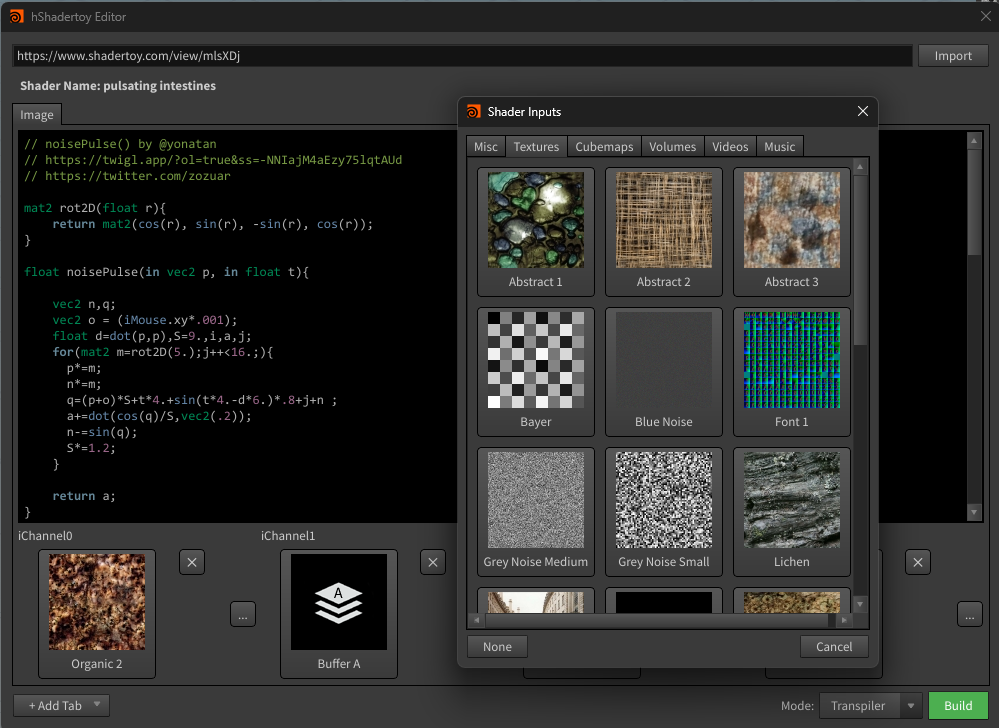
- Editor - a Shadertoy mini-IDE on the hShadertoy shelf. Browse, fetch by URL/ID, import (Shadertoy API JSON in/out).
- Builder - creates the hShadertoy HDA and wires every renderpass up.
- Transpiler - translates each GLSL pass to OpenCL for Copernicus.
The generated HDA exposes every Shadertoy renderpass as parameters, backed by a Copernicus subnet:
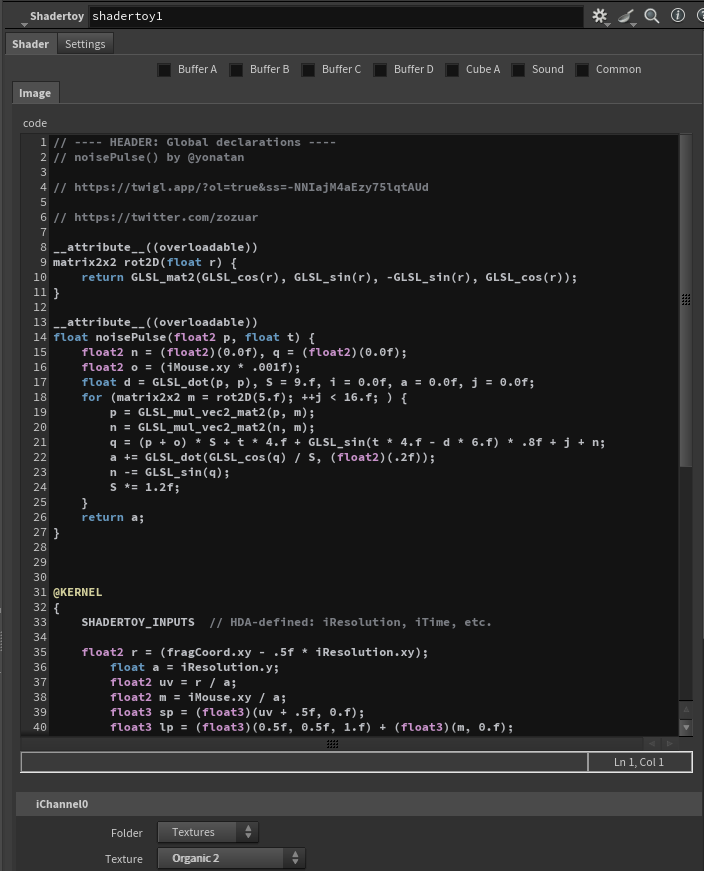
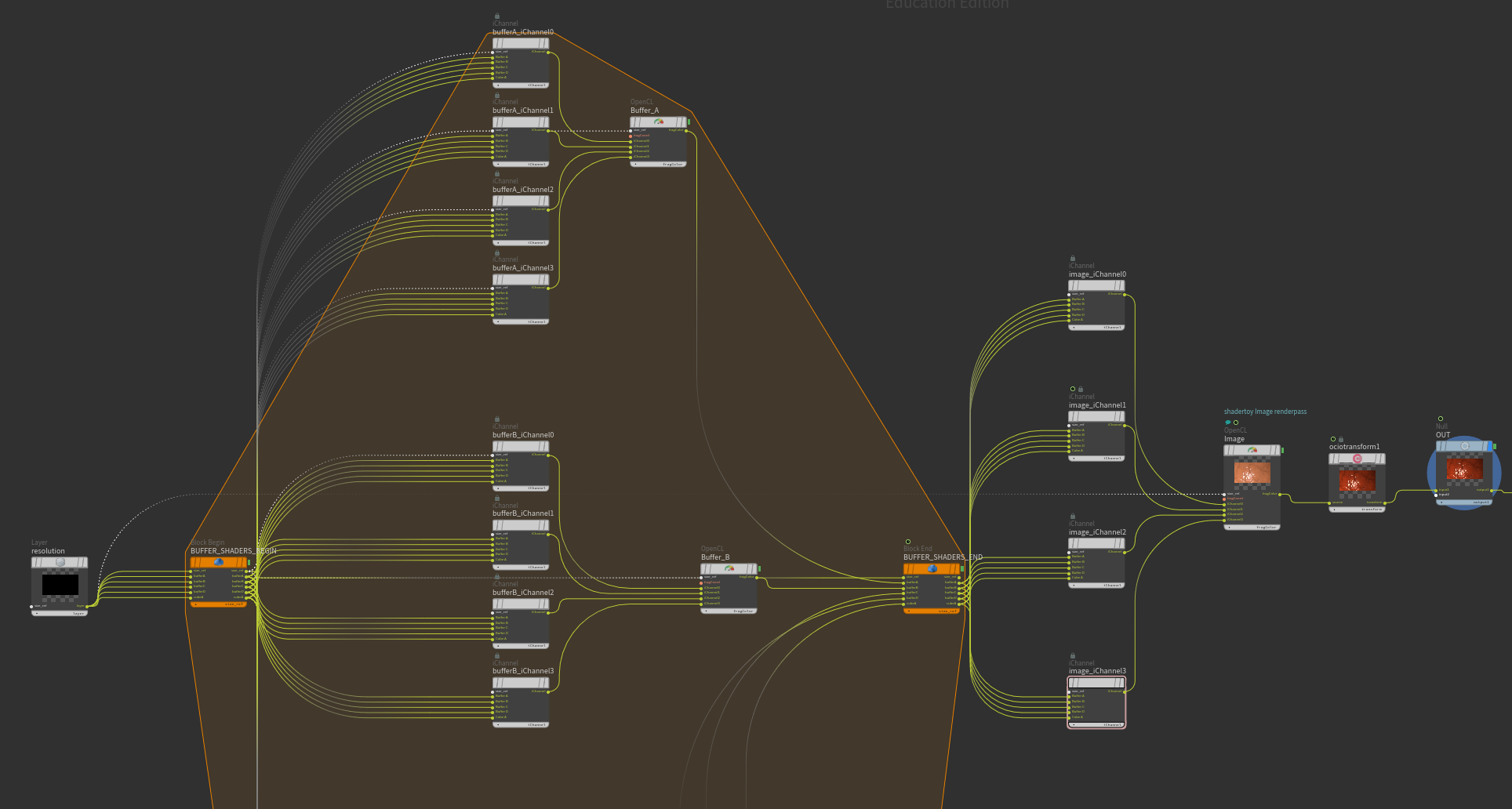
Shadertoy → Houdini mapping:
- GLSL fragment shaders → OpenCL COP nodes
- Buffer passes → Block Begin/End
- Cubemaps packed/unpacked to 2D image maps (volumes on the todo list)
- Shadertoy textures ship with the HDA - no downloads needed
- iMouse → viewer state / Mouse CHOP (todo) · Webcam → Live Video COP (todo) · Audio → Audio In CHOP (todo)
Requirements
- Houdini 21.0+ (Copernicus)
- A free Shadertoy API key: https://www.shadertoy.com/howto
- Three Python packages installed into Houdini’s own Python (step 2 below)
Installation
-
Download and unpack (or clone) to a local directory, e.g.
C:/dev/hShadertoy -
Install the Python deps into Houdini’s Python (plain
pipmay target the wrong interpreter):"C:/Program Files/Side Effects Software/Houdini 21.0.XXX/python311/python.exe" -m pip install --user tree-sitter tree-sitter-glsl curl-cffi -
Copy
houdini/packages/hShadertoy.jsonto your packages directory, e.g.$HOUDINI_USER_PREF_DIR/packages -
Edit it - fill in the first three values and set
"enable": true:{ "HSHADERTOY_ROOT": "C:/dev/hShadertoy" }, { "HSHADERTOY_HOUDINI": "C:/dev/hShadertoy/houdini" }, { "SHADERTOY_API_KEY": "YOUR_API_KEY" }, ... "enable": true -
Start Houdini → hShadertoy shelf → Editor → paste a shader URL → import → build. That’s it
Limitations
- Not every shader transpiles (yet). Typical image shaders work well; heavy preprocessor tricks are the main holdouts. On a sample of 999 Shadertoy shaders, ~86% currently compile end-to-end - and that number grows weekly with the ongoing fix campaign.
dFdx(),dFdy(),fwidth()are passthrough functions (no derivatives in OpenCL) - shaders relying on them will look different.- No mipmaps in COPs:
texture()bias/LOD arguments are accepted but ignored. - Sound passes, webcam, video and keyboard input aren’t wired up yet.
- Only shaders published as Public + API can be fetched.
Development
New contributors: start with .claude/skills/onboarding/SKILL.md
- it maps the repo, the rules and the workflows. The forward plan lives in docs/handover/ROADMAP.md.
Pipeline
houdini/toolbar/hShadertoy.shelfhoudini/scripts/python/hshadertoy/gui/editor.pyhoudini/scripts/python/hshadertoy/builder/builder.pyhoudini/scripts/python/hshadertoy/transpiler/transpile_glsl.pysrc/glsl_to_openclhoudini/otls/hShadertoy.hda-hShadertoy::shadertoymagic!
Transpiler spec
Testing
pip install -r requirements.txt              # dev deps (pytest, pyopencl, ...)
python -m pytest tests/unit/ -q              # unit suite - the regression gate
python tests/transpile.py <file>.glsl        # transpile one shader -> .header.cl/.kernel.cl
python tests/compilecl.py --header <file>.header.cl <file>.kernel.cl   # compile it
Compile options live in tests/build_options.json; extract the ones for your
machine by setting HOUDINI_OCL_REPORT_BUILD_LOGS = 2 in houdini.env and
reading the HDA’s OpenCL build log.